TL;DR
I turned the way I build talks into an Agent Skill on top of Slidev: story first, slides second, puns throughout. Code is on GitHub. Warning: it has zero tolerance for boring slides and a very high tolerance for puns.
I’ve given a fair number of talks by now (they’re all here), and at some point I noticed I build every one of them the same way. Same dark slides, same story arc, same puns that make a room groan and laugh at the same time. Same dabbing bird at the end.
What finally pushed me to do something about it was Demystifying Software Factories, a talk I co-presented with Daniel Sinai at The Software Factory: AI Agents Community Meetup.
I found out I’d be speaking about five days before the meetup. Extra kudos to Daniel for actually hopping on the task with me. He started with a simple Slidev deck that already had good content, both technical and story-wise. This is roughly where it began:
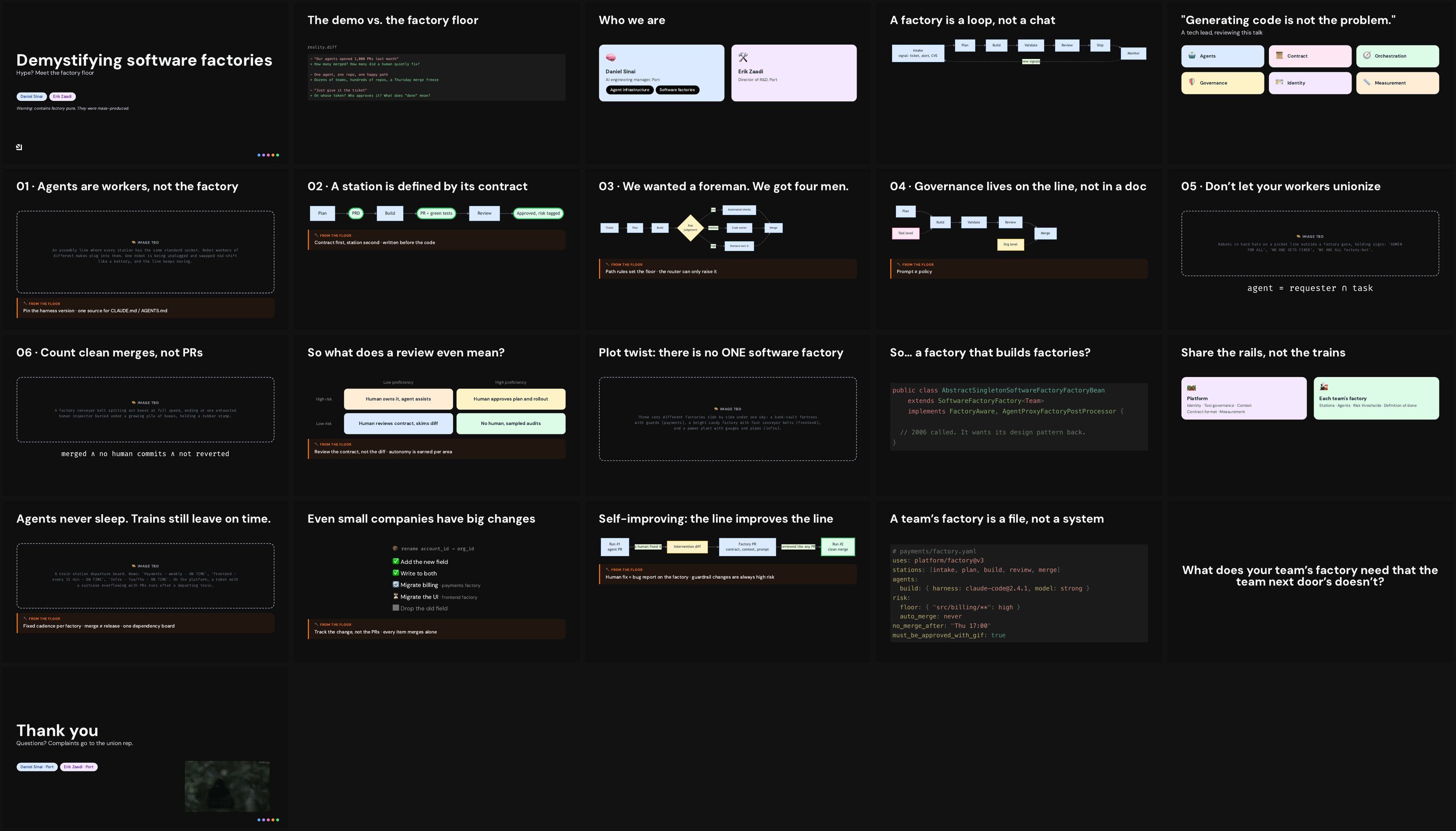
Yes, he used an internal skill I added at Port that, needless to say, has the dabbing bird at the end as a mandatory piece of content.
Then I added 31 (!) commits that spiced things up a bit, and we ended up with the deck we presented.
Full slides · speaker notes: right click, Enter Presenter Mode
Thirty-one commits of “make it more me” in five days is a pattern begging to be automated. A talk about software factories turned out to be the perfect excuse to build a little talk factory of my own.
If I do it the same way every time, an agent can follow it. So I wrote it down.
The result is nerdalicous-presentation-skill, an Agent Skill for building talks the way I build them. A skill is a folder of instructions, templates and scripts that an agent loads when it needs to do a particular job. This one’s job is talks.
It started as one file
The first version was the internal one at Port: a single SKILL.md, more or less. I extracted it from my “Stop Managing Your Managers” talk: the voice, the puns, the story arc, the exact colors and fonts from the deck. It also extracted our company Google Slides theme and made it available to Slidev, so Port decks still looked like Port decks.
That got the agent writing slides that sounded like me. It didn’t get it building talks the way I build them. So I grew it into a full workflow on top of Slidev: a starter deck, Vue components, scripts for images and rehearsal audio, and a lot of opinions.
The commit message for that one wrote itself: ZOMG that’s a SKILLFUL upgrade.
A person talking to people
The philosophy fits on one line. The goal is not a polished corporate deck. The goal is a person talking to people, who happens to have slides.
A few things follow from that:
- Slides are cues, speaker notes are the talk. If you could read the slides, skip the talk and get the same value, the slides failed.
- Puns are structural, not decoration. They go in the title, the section names, the slide titles. Not sprinkled on top at the end.
- Every talk has an honest “what I still don’t have figured out” slide. It builds more trust than a “here’s everything I nailed” ending ever will.
- Every talk ends with the dabbing bird GIF. Non-negotiable. It’s in the skill in bold.
Slidev first, Google Slides only when it has to
Everything starts in Slidev, and huge thanks to Anthony Fu and the Slidev contributors for it.
The killer feature for an agent is boring: the whole deck is one markdown file. An agent can read it, reshuffle it and rewrite it in one go. On top of that you get Vue components for anything markdown can’t do, click reveals, and a really good presenter mode.
Google Slides (or PPTX) only comes in when it has to: co-presenters who want to edit together, or a conference that requires its own template. By then the story, the notes and the images already exist, and porting is the last step instead of the first.
A talk is not written, it’s iterated
This is the core idea, and the reason the skill is built around stages. It deliberately keeps the expensive parts (images, real diagrams, audio) out of the way until the story holds.
1. Ideation
A conversation, not a deck. What’s the one thing the audience should walk out with? Who’s in the room? What’s the punny title? Dump notes, an old blog post, a rant, and ask the agent to poke holes in it.
2. Story flow
The first draft is cheap on purpose:
- Every missing image is an image prompt in a dashed box, not an actual image.
- Every diagram is plain Mermaid.
- Every slide already has speaker notes, ending with a
Handoff:line into the next slide.
Then comes my favorite trick in the whole skill: read only the handoffs, slide after slide.
Here are the handoffs from the middle of the test deck further down, back to back:
“And the thing that goes missing isn’t a bug.”
“Here’s what I’m trying to change, in a format we all speak.”
“Sounds nice. Here’s what it costs.”
“So before any process, I had to change something smaller: me.”
“Once that flips, the tools are almost boring. Good boring.”
If they chain into a story, with a hook, tension in the middle and an earned payoff, you have a promising spine. If they don’t, you have a list of topics, and no amount of polish fixes that. Better to find out while slides cost nothing.
3. Iterate, iterate, iterate
Once the flow is agreed, two loops run side by side:
Graphics. Turn image prompts into generated images, turn the important Mermaid diagrams into native SVG components, and render every click state to check for overflow and misaligned wires.
Words. Tighten the slide copy until it supports what you say instead of transcribing it. Rewrite the notes in my own voice. Rehearse. Every rehearsal surfaces a slide that drags or a handoff that doesn’t land.
4. Ship
Build, export, print the notes, download every GIF locally (venue Wi-Fi is never your friend), and port to Google Slides only if needed.
OpenAI for images and audio
Two scripts call the OpenAI API. Both are opt-in, and they only come into play after the story is agreed.
Images
| |
npm run images turns <ImageTBD prompt="..." /> placeholders into full-bleed 16:9 images. The whole deck goes along as context, so each image knows the talk’s story and its recurring characters. Images that already exist are skipped, and the dry run is free.
Rehearsal audio
| |
notes:verify exists for a reason. A long request once silently dropped whole slides, while still returning a file of a perfectly plausible length. Nothing looked wrong until I listened. Now the script keeps requests short and transcribes the audio back to catch it.
Why rehearsal audio at all? I play it as background noise while stuck in traffic. I’m not studying it, just letting it run. After a few days the order of the story sticks, and by the time I stand up to rehearse, I’m rehearsing a talk I already know instead of reading a deck.
Taking it for a test drive
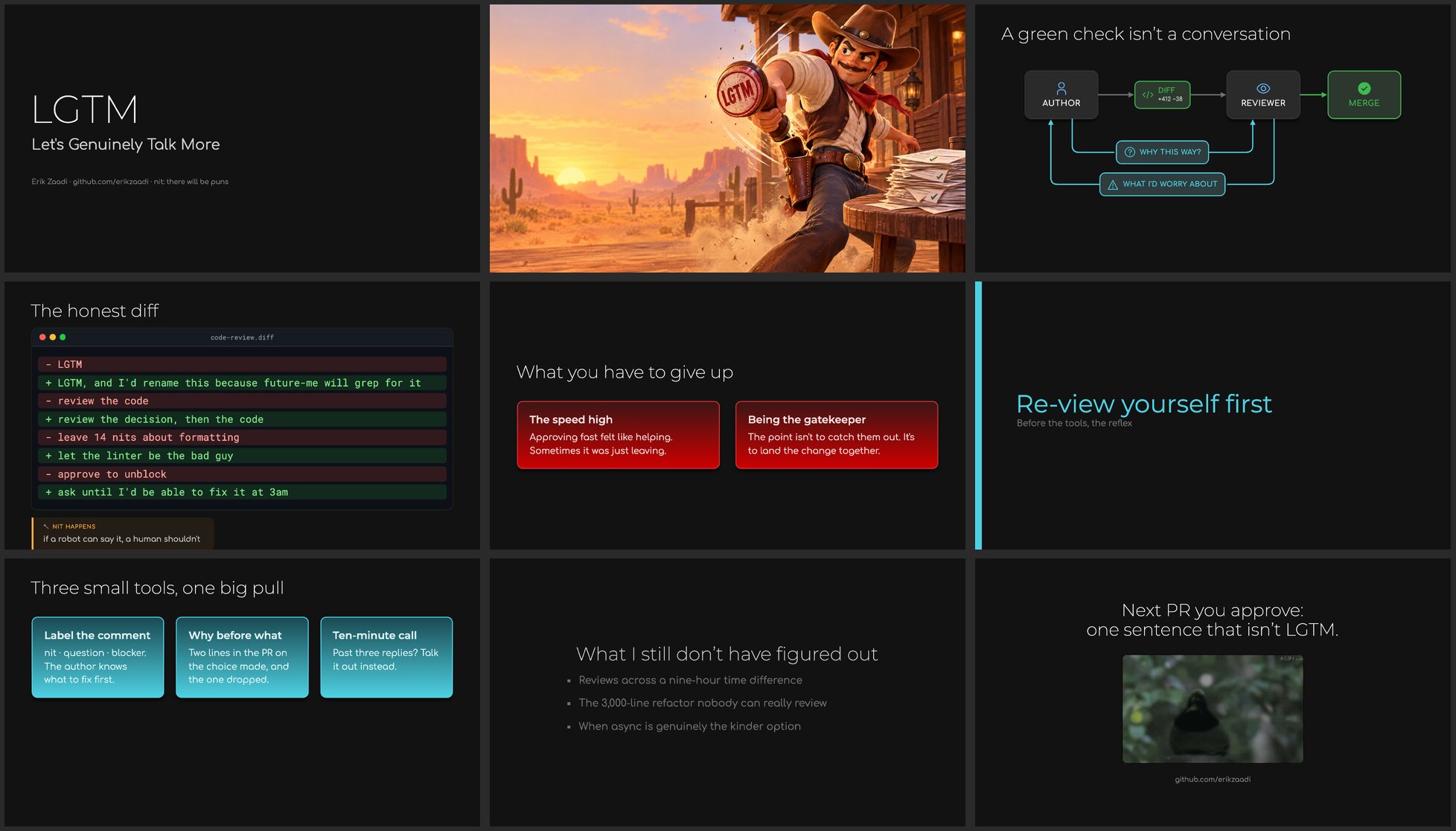
Reviewing a skill only gets you so far. So I started from an empty folder and built a real deck: LGTM: Let’s Genuinely Talk More, an internal talk about code reviews.
Three prompts, about six minutes of agent time.
Prompt 1: invoke the skill. It asked its intake questions in one round (what’s the talk about, who presents, which language for the notes, what kind of talk), set up the deck, and wrote a nine-slide story-first draft with notes on every slide. Then it exported every slide to PNG, looked at them, and fixed the titles that ended on a single dangling word. Unprompted. I felt seen.
Prompt 2: after running npm run images, “I’ve generated the tbd images, can you add them?” The placeholder became a full-bleed photo slide: a cowboy quick-drawing an LGTM stamp.
Prompt 3: “please do”, in reply to its offer to turn the Mermaid into a real diagram. It built a Vue/SVG diagram with a click reveal: the PR pipeline first, then the conversation that never makes it into the diff.
And yes, the puns showed up:
- “LGTM: Let’s Genuinely Talk More”
- “The fastest stamp in the west”
- “Nit happens”
- “Re-view yourself first”
- “Merge conflicts are people conflicts. Resolve them out loud.”
The run also showed what the skill was missing. It lacked card styles and a working diagram example. It also guessed a GitHub handle instead of asking, and invented a line count on a diagram. All of those fixes went back into the skill. Testing a skill on a real deck beats reviewing it, every time.
Making it portable
I built it in Claude Code, then asked Cursor and Codex to review it.
Cursor flagged the Claude-specific bits: a tool name in the instructions, and install paths that only made sense for Claude Code.
Codex found real bugs by actually running the scripts. A markdown link in the notes got mistaken for a presenter and stole a voice in the rehearsal audio. And slide numbers shifted whenever a slide had no notes. The fix for both was to stop parsing decks with regexes and use Slidev’s own parser instead. Lesson relearned: if the tool ships a parser, use the parser.
It now installs in Claude Code, Cursor and Codex.
Pro tips
The repo has a PRO-TIPS.md with the stuff I tell people when I mentor talks. The highlights:
- A static build still has presenter mode. Mine live on S3 behind CloudFront. Set
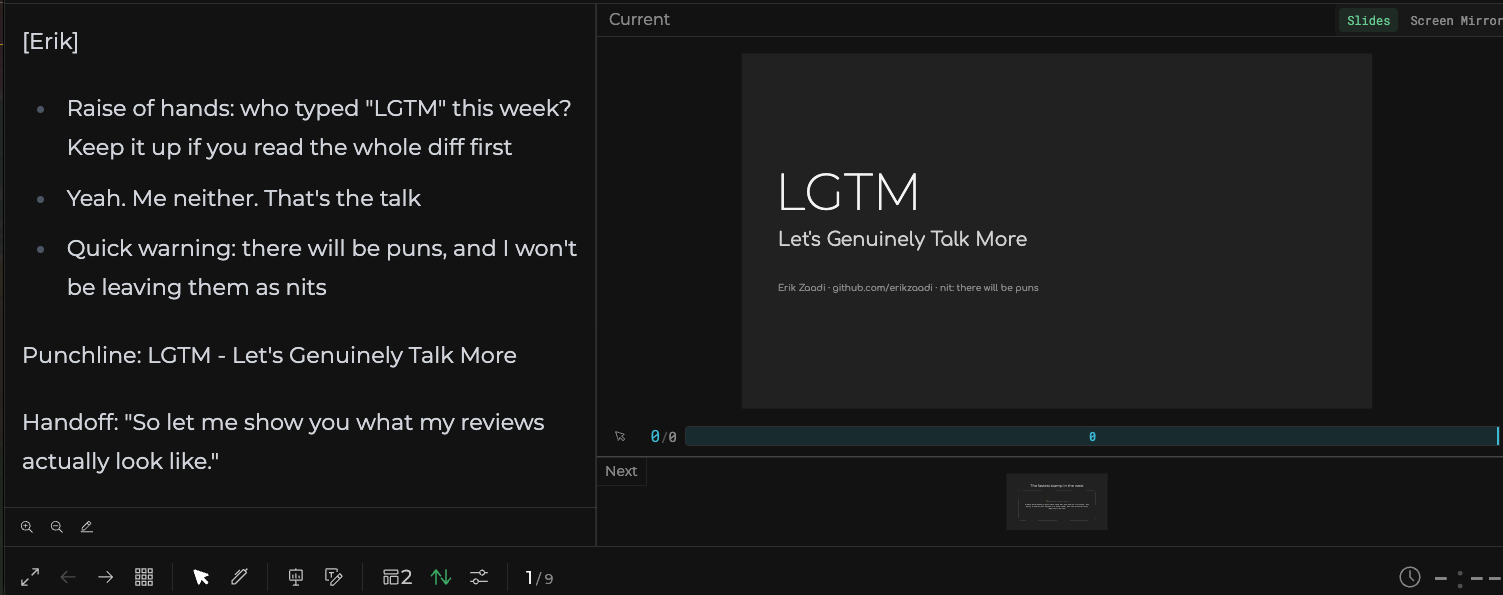
routerMode: hash(the starter deck already does) so routes work on a plain static host, then open the deck in one tab and#/presenter/1in a second tab of the same browser. The two stay in sync. - Edit notes from the presenter view. When running locally, the notes in presenter view are editable and save straight back to
slides.md. Fix the beat that doesn’t land the moment you notice it. - Rehearsals are everything. Stand up and speak aloud. Record yourself and watch it. Yes, it’s cringe. Suffer the cringe, it’s worth it.
- Find a reset ceremony. Everyone blanks on stage eventually. Pick a small physical ritual for when it happens (I scratch my beard). Then rehearse getting stuck on purpose at random moments, do the ceremony, and continue. On stage it becomes a reflex, and the audience just sees someone pausing to think.
What I still don’t have figured out
It wouldn’t be my talk without this slide, so it wouldn’t be my post either.
How much to trust the rehearsal audio. It’s great for getting the story into my head, but it’s an AI voice reading my notes. notes:verify catches skipped passages, but its check is a heuristic, and it can’t tell me whether the voice put the emphasis in the wrong place. I’m a little worried I’ll end up copying its pacing instead of finding my own.
Where the agent should stop and I should take over. The story draft, the images and the diagrams are tasks I’m comfortable delegating. The notes are where it gets blurry. The agent writes decent notes in my voice, but the talk only works when the words are actually mine, and I haven’t found a clean line for when to stop asking for rewrites and just start saying it out loud.
The skill is at github.com/erikzaadi/nerdalicous-presentation-skill. The install steps are a clone and a symlink, then ask your agent something like:
“I’m giving a 30 minute talk on platform engineering at a DevOps meetup. Help me find the story before we touch any slides.”
Want it to sound like you instead of me? Fork it, rewrite the voice and palette sections, and make it yours.
I’d tell you a joke about Slidev, but the punchline is behind a [click].